1. Click the gear icon in the bottom-left corner (next to your name), then select Advanced from the left sidebar.
2. At the top of the page that appears, toggle on Developer Mode.
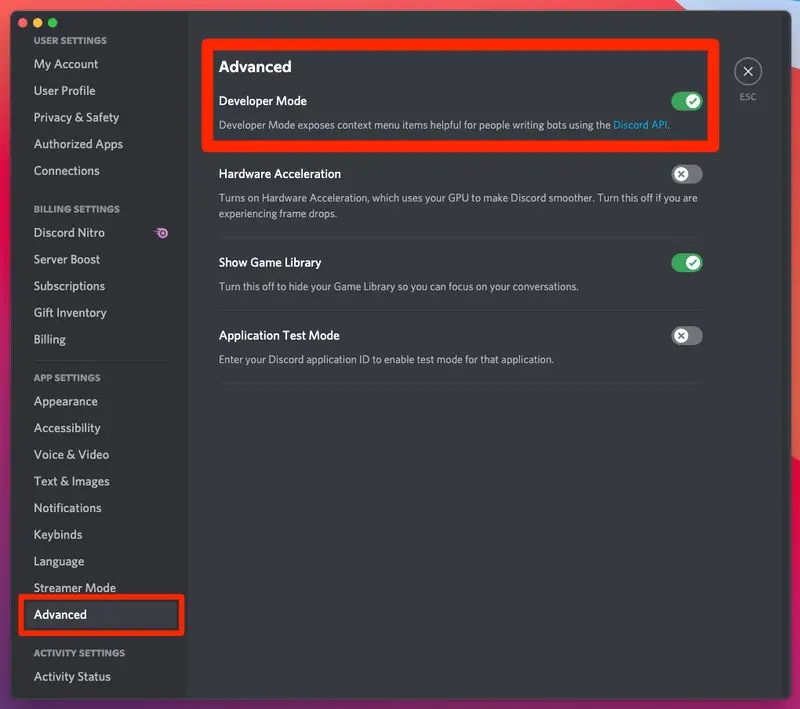
Once it's enabled, finding Discord IDs is simple.
- To find a user's Discord ID (including your own), right-click their profile picture and select Copy ID.
- To find a message's ID, right-click it and select Copy ID.
- To find a server's ID, right-click its icon in the left sidebar and select Copy ID.
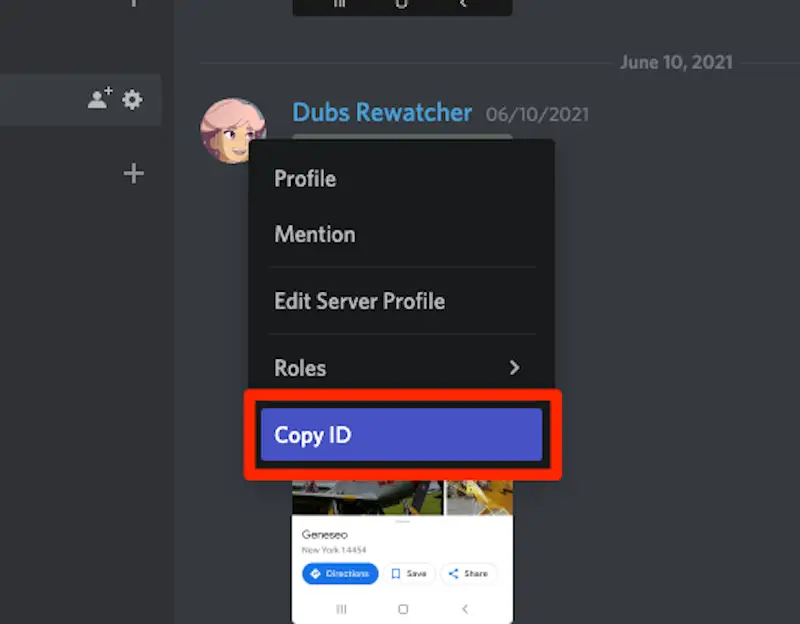
This will copy the 18-digit ID to your computer's clipboard. Paste it anywhere you want to see the ID.